Take a photo of your meal
Bogeton AI recognizes the foods, estimates the amounts and checks the values against the Ciqual table. You adjust, then add.
On this page
Take the photo
- Tap Add, then Photo (or the camera icon on the Today screen).
- Frame the whole plate, from slightly above, and tap the shutter. You can also Choose a photo you already took.
- Bogeton AI analyzes your meal in a few seconds: it spots the foods, estimates the amounts, thinks of sauces and oil, then checks against the French Ciqual food table.
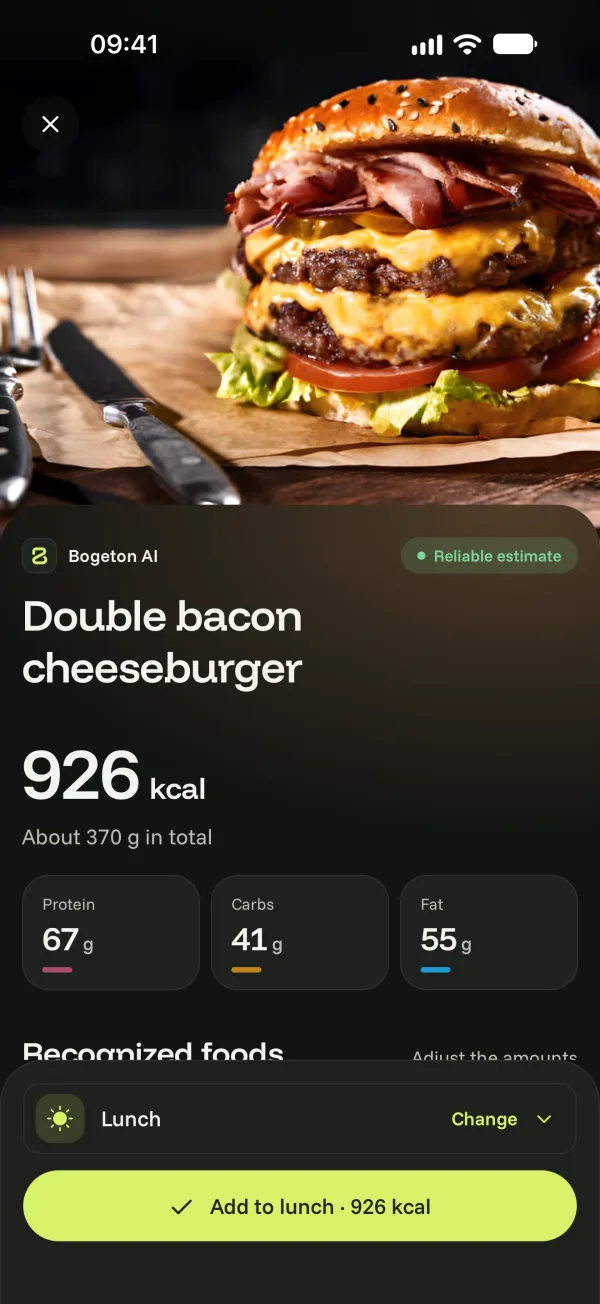
Check and adjust
- A badge shows how reliable it is: Reliable estimate, Likely estimate or Estimate to check.
- Under the recognized foods, adjust each amount with More and Less, or remove a food.
- Add a detail: “no sauce”, “I ate half of it”, “cooked in olive oil”… Bogeton AI recalculates.
- Sometimes Bogeton AI asks you a question to be more accurate: tap an answer or type your own.
Then tap the Add button at the bottom: the meal counts toward your day.
How many photos?
On Free, 3 meal analyses (photo or description) are offered, once; search, barcode and quick add stay unlimited. With Bogeton Plus, as many as you like. See Bogeton AI limits.