Do your guided workout
Set by set, with the planned load and reps, a rest timer and instructions for each exercise.
Start the workout
In the Workouts view, the Today’s workout card shows the exercises and planned duration. Tap Start. On a rest day, you can still Work out anyway or Pick another session; a missed session shows as Catch up.
Before you start, three quick questions adjust the session: if you report pain, exercises that strain it are replaced.
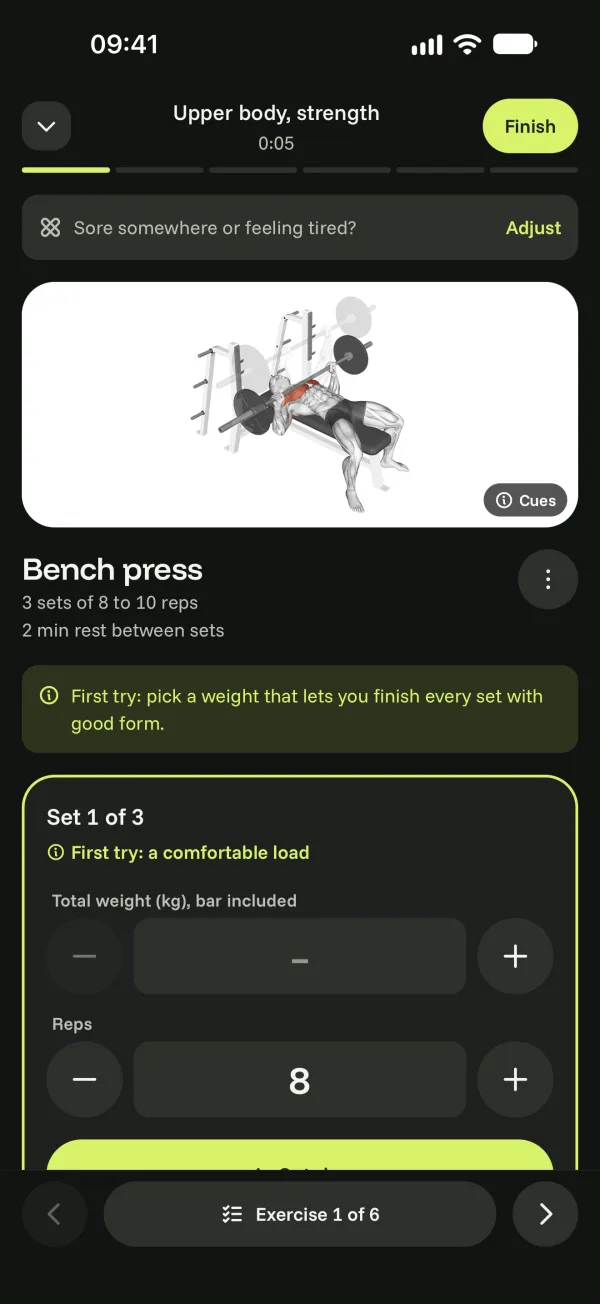
During the workout
- For each set, the planned load and reps are already filled in: adjust with + and − if needed, then confirm the set.
- The rest timer starts on its own (−15 s, +15 s or Skip). A notification tells you when it’s over, even with the phone locked.
- Tap the instructions to see the movement again.
- Feeling tired? Adapt lightens the rest of the session.
Move between exercises with the arrows at the bottom. When you’re done, tap Finish.