Your steps and movement
Your phone counts your steps, distance, floors and active time, without starting anything.
In the Activity tab, the Movement view shows your day: your steps (and how many are left for your goal), distance, floors climbed and active time. A timeline traces your movement through the day.
Allow step counting
The first time, Bogeton asks for access to your phone’s motion data: one permission is enough. On iPhone it’s Motion & Fitness; on Android, Physical activity. If you declined, find it in the activity settings (the tab’s gear) or in your phone’s settings.
Your longest sitting stretch
Bogeton spots your longest sitting stretch of the day. Standing up for 3 minutes every 30 minutes helps your body handle the sugar from meals.
Over several days
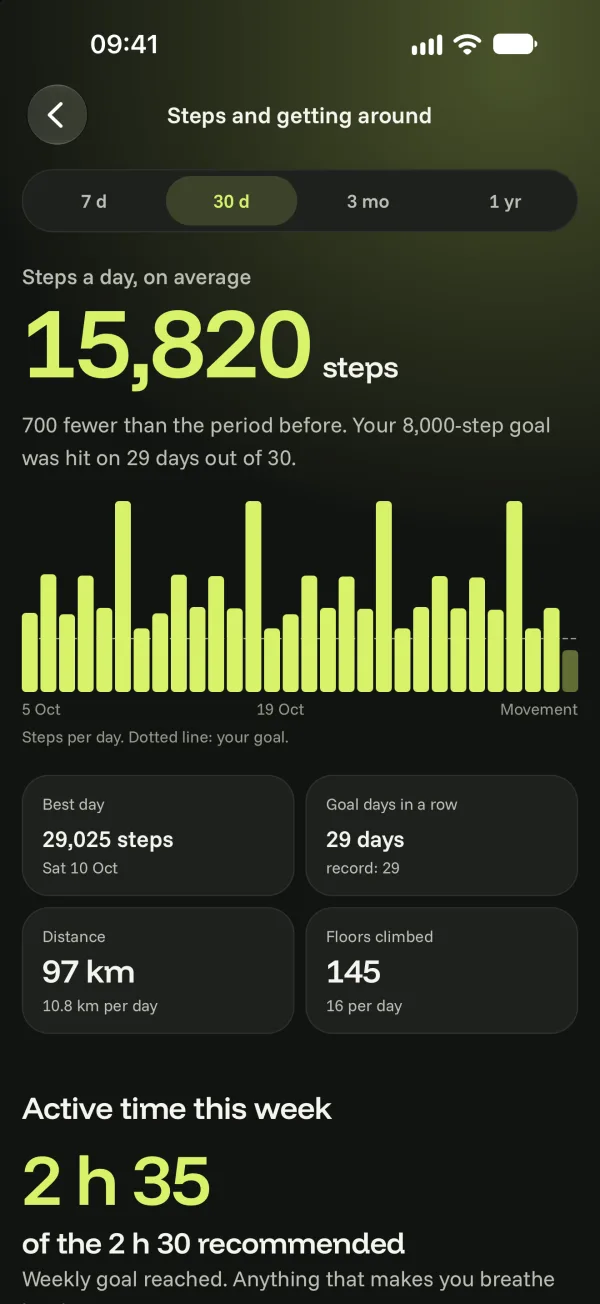
Open your movement details: 7 days, 30 days, 3 months or 1 year. You’ll see your average steps, your best day, days in a row on goal and your active time for the week against the recommended 2 h 30.